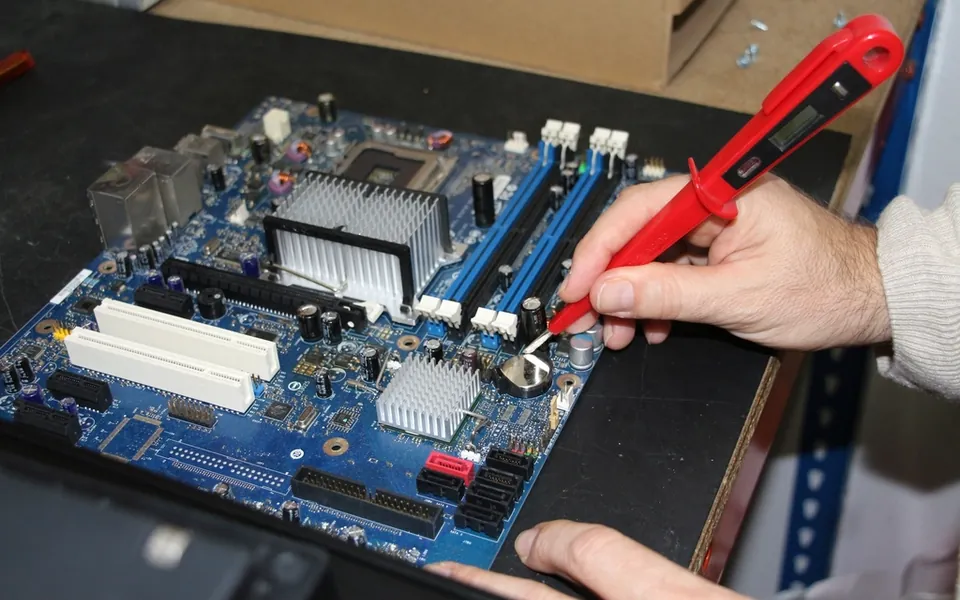
A cracked screen or a tired battery used to mean one of two things: an expensive official repair or a brand-new device. That is slowly changing. The right to repair movement is pushing manufacturers to make spare parts, tools and repair information available to everyone. In this Technicalinterest.Com explainer we look at what right to repair means, what has already changed and how you can benefit.
Key takeaways
- Right to repair means access to parts, manuals and tools for the devices you own.
- New laws in several US states and the EU are making repairs easier.
- Battery replacements are often the most cost-effective repair.
- Always back up your data and check the warranty before a repair.
What is the right to repair?
Right to repair is the idea that people who buy a product should be able to fix it, or choose who fixes it, without being blocked by the manufacturer. In practice, campaigners ask for three things: affordable genuine spare parts, access to repair manuals and diagnostic tools, and no software tricks that stop a replacement part from working. Repair groups such as iFixit’s right to repair project track these campaigns and publish free repair guides.
Why repairability became a big issue
Modern phones and laptops are thinner and more tightly integrated than ever. Glued batteries, soldered memory and parts that are paired to a single device through software made independent repairs harder and more expensive. At the same time, people are keeping devices for longer, and electronic waste has become one of the fastest-growing waste streams in the world.
What has changed so far
New laws
Several US states, including New York, Minnesota, California and Oregon, have passed electronics repair laws that require manufacturers to offer parts, tools and documentation. The European Union has adopted rules that encourage repair over replacement and will require more devices to have batteries that users can replace. Details differ from place to place, so it is worth checking what applies where you live.
Manufacturer repair programmes
Major brands now run their own schemes. Apple offers Self Service Repair with genuine parts and manuals for selected models, and several laptop and phone makers publish repair guides or sell replacement parts directly.
Longer software support
Repair only makes sense if the device stays secure. Longer update commitments, which we cover in why software update support now matters more than specs, mean a repaired phone can stay safe to use for years.
What right to repair means for you
- Lower costs: independent shops and DIY repairs are often far cheaper than replacing a device.
- More choice: you can pick an official service, a local repair shop or a careful DIY fix.
- Longer device life: a new battery can make a three-year-old phone feel close to new again.
- Better resale value: devices that can be repaired keep their value for longer.
Before you repair a device yourself
- Back up everything first; our guide on how to back up your phone walks you through it.
- Check whether the device is still under warranty, because a free official repair may be the best option.
- Find a step-by-step guide for your exact model and read it fully before you start.
- Use genuine or high-quality parts and the correct tools, especially for batteries.
- Stop and seek professional help if a battery is swollen or damaged.
Repairability when you buy
When shopping for a new phone or laptop, look at repairability as well as performance. Check whether spare parts are sold, whether the battery can be replaced and how long software updates are promised. Our laptop buying guide and smartwatch buying guide include these checks alongside the usual specifications.
Key takeaway: the most sustainable and affordable device is often the one you already own, kept running with a smart repair.
Repair, refurbish or recycle?
Not every device is worth fixing. As a rough rule, repair makes sense when the cost is less than half the price of a comparable replacement and the device still receives security updates. If a repair is not worthwhile, consider selling it to a refurbisher, trading it in or using a certified e-waste recycler. Many retailers and manufacturers run take-back schemes that recover valuable materials safely and keep hazardous components out of landfill.
Before handing a device over, sign out of your accounts, remove any SIM or memory cards and perform a full factory reset so your personal data cannot be recovered.
Frequently asked questions
Does repairing my phone myself void the warranty?
It can, depending on the manufacturer and where you live. Check the warranty terms first and use an official or authorised repair while the device is still covered.
Is replacing a phone battery worth it?
Usually, yes. A new battery is far cheaper than a new phone and can restore much of the original battery life on a device that is otherwise in good condition.
Where can I find repair guides for my device?
Start with the manufacturer’s support site, then look at reputable repair communities that publish free, step-by-step guides with photos for specific models.
Are independent repair shops safe to use?
Reputable independent shops can be a great option. Look for good reviews, clear pricing, a warranty on the repair and a willingness to explain which parts they use.
Stay informed about new repair rules and device policies in the Tech News section of Technicalinterest.Com.